
Exploring before traveling
View neighborhoods, streets, and the atmosphere before a trip or relocation

Rent a real person's time anywhere in the world — tell them where to go and what to show, and it happens live, on your direction
 Live
Live
 Live
Live
 Live
Live
 Live
Live
 Live
Live
Download on the


Rent someone's time to be your eyes on the ground — and direct them through any real-world task, live
View neighborhoods, streets, and the atmosphere before a trip or relocation

See availability, prices, and product selection in another country

Walk through a city in real time

Explore locations, weather, and surroundings

Direct them to show a place, an object, or carry out a specific task for you

A simple flow for both sides — renting someone's time, or earning by it
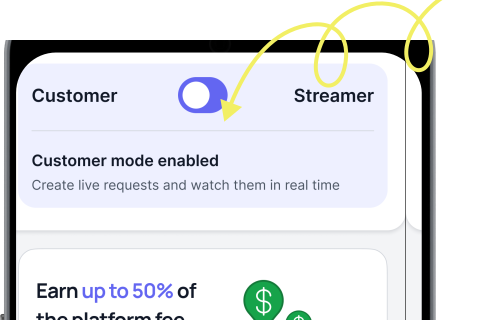
Users can switch between viewer
and streamer modes at any time
Rent people's time across cities and countries — direct them in real time and explore any place without being there yourself
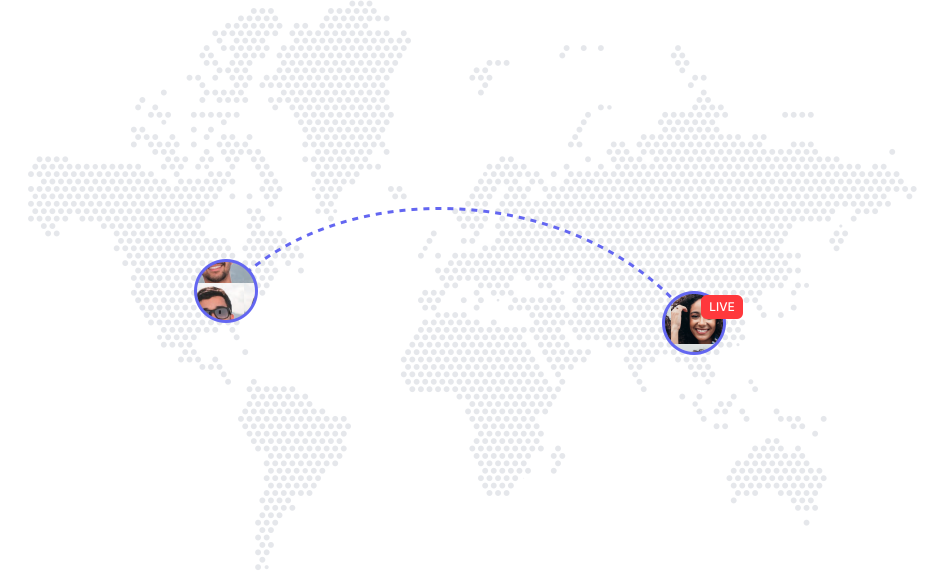


LiveLens lets one person rent another's time. You request what you want to see or have done, and a real person carries it out live while you direct them.
Turn on streaming mode, receive incoming requests, and accept one to start streaming.
Choose a person, describe what you want them to show or do, and start a live session on their time.
Yes, switching between modes is instant and available at any time.
Yes — that's the whole point. You direct the person whose time you've rented and guide them in real time throughout the session.
Yes, the session can be ended at any moment.
Streamers earn based on the time they spend streaming.
Yes, all streams on LiveLens are real-time and not pre-recorded.
Share your link. When the people you invite pay for live streams, up to 50% of every LiveLens fee flows back to you — two levels deep, with no cap and nothing to set up.
When they pay for a stream, you earn 40% of the platform fee on that payment.
Their invites count too — you earn 10% of the platform fee on what those viewers spend.
Every account gets a unique invite link. Send it to anyone — there's no limit on how many people you bring in.
Rewards come from the viewer side — what the people you invite spend on live streams, not from anyone's streaming income.
40% of the platform fee from your direct invites, plus 10% from the people they invite. Paid out automatically through Stripe.
Referral rewards are a share of the LiveLens platform fee on a paid stream — never an extra charge to anyone. The percentages above are of that fee, and rewards land in your balance once a session is paid.